Feezy Studio
Talk. We edit.
Drop in a raw clip. Feezy cuts the stumbles, finds your hook and captions every word, right in your browser.
Style
Captions
0:00 / 1:09
Scenes
Hey, you, stop right there. I’m gonna teach you how to make $100,000 using AI.
KeepI know, that sounds crazy.
KeepHow do you even know who I am?
KeepMy name’s Jon, aka Feezy. For the last 15 years…
KeepBut how am I qualified to teach you?
KeepI’ve been implementing AI tools in my daily workflow…
KeepRaw in. Reel out.
The same clip, the same second. Scroll to see what Feezy did to it.
- 13 cuts
- Every word captioned
- Levelled to −14 LUFS
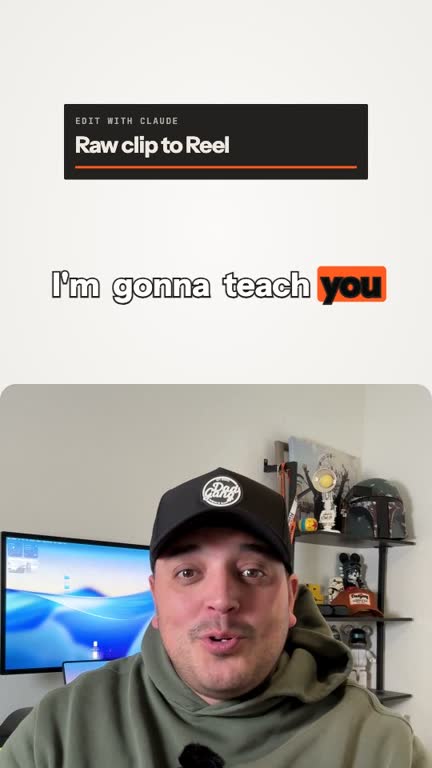
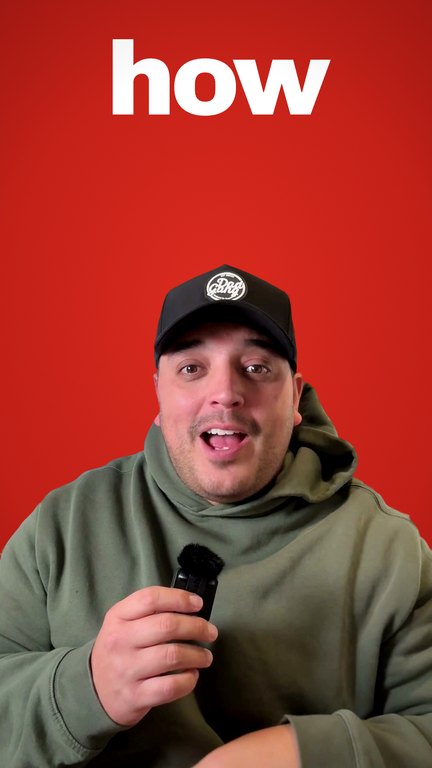

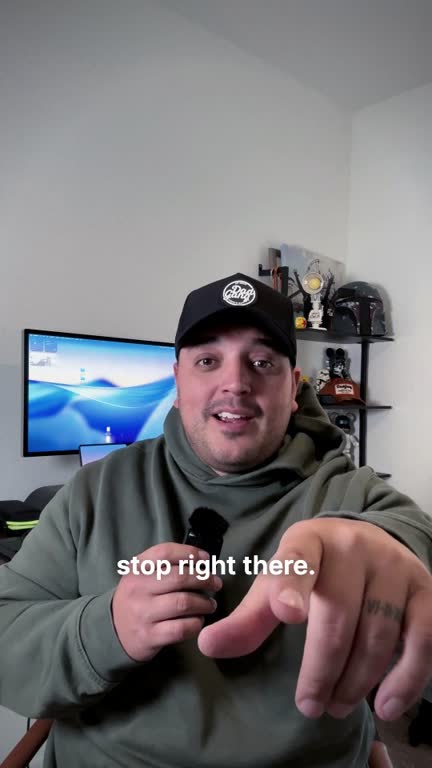
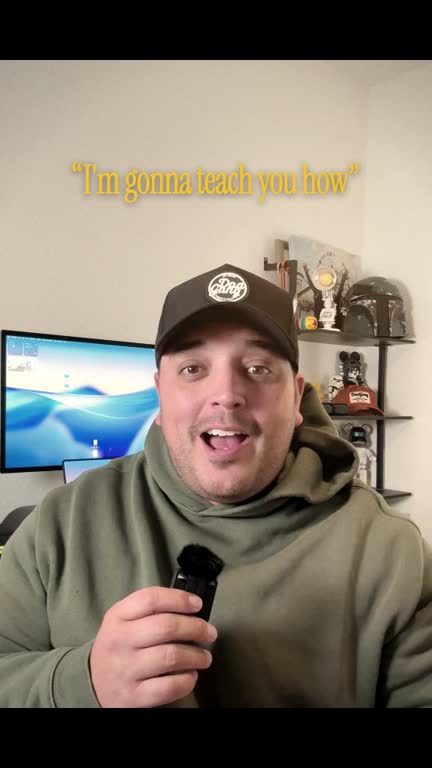 Studio Desk
11 of 11 scenes
1:09
Hey, you, stop right there. I’m gonna teach you how to make $100,000 using AI.
I know, that sounds crazy.
How do you even know who I am?
My name’s Jon, aka Feezy. For the last 15 years…
But how am I qualified to teach you?
I’ve been implementing AI tools in my daily workflow…
Whether it’s building a coloring book on Amazon…
Teach you guys how I’d want to be taught.
I’m gonna give it to you guys real…
Share with a friend.
Let’s see how long it takes me and you to make 100K.
01 / 04
Animated captions
Every word, right on time.
Captions land on each word the moment you say it. Your name and your brand words come out spelled right, and they never sit over your face.
02 / 04
21 looks
One tap changes everything.
Pick a look and the whole Reel changes: background, layout, colour and type. Your face stays centred in every one.
03 / 04
Audio
Sounds like you, only clearer.
Your voice is cleaned up and levelled to the loudness Reels, TikTok and Shorts play at. No surprise music unless you add it.
04 / 04
Scene by scene
Nothing renders until you say so.
Every scene shows up with its words. Keep it or drop it, right here on the phone, and watch the length change.
The library
Tap one. See it.
Every look and caption style, shown on a real clip. These are the ones in the editor today.
The effects
98 effects. One clip.
Camera moves, titles, captions, screens and grades. Every one below is running on the same raw clip.
Zoom-Through Cut
Hard cut into a new idea; the camera flies through the frame
Vertigo
Realisation beats: the room stretches while you stay still
Digital Zoom
Punch in on the line that matters
Pull-Back Reveal
Opening wide on where you are or what you built
Green Screen
Talking over a picture, page or screen behind you
Frame Break
Something leaving its box: the speaker steps out of the frame
Picture Dive
Diving into an example: the shot zooms into a photo
Title Card Dive
Starting a new chapter with a title you fly into
Odometer Recursion
Big numbers that keep counting up, frame inside frame
Orbit
Introducing a tool or idea that circles the speaker
UI World
Talking about a product as if you stand inside it
Depth Scatter
Layering words in depth behind and in front of you
Projected Film
Nostalgia and origin stories on a projected film look
B/W Punch
A hard black and white hit on the key line
Kinetic Hook
The first second: the hook words slam in
Gravity Drop
Bad news or a reset: words fall and land
Giant Captions
Loud key lines in giant words between face and frame
Keyword Pop
Single keywords that pop on the beat
Karaoke Box
Word by word read-along captions in a box
Knockout Captions
Captions cut out of a solid colour block
Title Card
Opening a clip with a clean title
Intertitle
Silent-film style card between sections
Magazine Cover
Positioning yourself as the story: a magazine cover frame
Depth Title
A title that sits behind your head
Serif Stamp
Stamped serif statement for a strong opinion
Sticky Text
Short notes that stick to the frame
Paper Cut
Handmade paper cut-out reveal
Torn Paper Card
A torn paper card carrying one line
Glass Type
A short headline set in clear glass
Cover Story
Cover-story framing for a big announcement
Numeral Counter
Counting up a real result
Name Tag
Introducing yourself or a guest
Headline Wall
Press or proof headlines stacked as a wall
Phone Mockup
Showing an app or page on a phone
Prompt Bar
Showing the prompt you typed
Comment CTA
Asking for a comment with a keyword
Comment Drop
A real comment dropping in to answer
File Drop
Sending or receiving a file
Timeline
Steps or history laid out on a timeline
Jiggle Delete
Removing something that does not work
Icon Strike
Crossing out tools you stopped using
Storyboard Deck
Walking through the shots of a plan
Proof Stack
Stacking proof: reviews, results, screenshots
Playing Grid
A grid of clips playing at once
Reel Feed
Showing posts in a scrolling feed
Reel Cascade
A cascade of your own reels
Video Card
One video card held up as the example
Receipt Printer
An itemised breakdown printed out
Keycaps
Shortcuts and keys you press
Screenplay Page
Script and storytelling talk on a screenplay page
Contact Sheet Hook
A hook built from a contact sheet of frames
Grease Pencil Sheet
Marking up frames with a grease pencil
Live Markup
Drawing on the frame while you explain
Doodle Boil
Hand-drawn doodles that boil around you
Chart Grow
Growth over time on a chart that grows
Checklist
Ticking off a list
Effects Sidebar
Showing which effects are switched on
Requirements Strike
Striking out requirements you do not need
Grade Slider
Dragging a colour grade across the shot
Before / After
Before and after of an edit
Eyedropper Grade
Picking a colour from the shot to grade it
Film Look
Switching the shot into a film look
Mood Curtain
A curtain wipe into a new mood
Grade Collapse
Grades collapsing back to the raw shot
Lens Ring
Turning a lens ring to change focus
Focus Toggle List
A toggle list of what to focus on
Style Spotlight
Showing off a style by name
Follow Chip
Asking people to follow, beside the head
Waveform Title
A title riding on your voice waveform
Prompt Screen
Sharing the exact prompt behind an edit; a frame people screenshot
Profile Reveal
The moment a creator introduces themselves or someone else
Tear-Off Offer
Listing what you offer or sell, behind the speaker
Focus Frame
Emphasis beats: a pixel halftone square locks onto the face
Bubble Halo
Overwhelm, notifications, a busy mind; bubbles float around the head, some behind
Polaroid Arc
Memories, a camera roll, past work; photo cards burst from the hand over the head
Newscast
Announcements and big news: breaking slab, lower third, ticker, wordmark behind the head
Glass Reminders
Tips, steps or to-dos as stacked liquid glass notifications
Alert Stack
Warnings and mistakes: red glass alerts stack down from the top of the frame
Music Cards
Sound, playlists, what you are listening to; glass player cards around the speaker
Card Carousel
A catalogue of work or options: a 3D ring of cards turns behind and in front of the head
Glass Ring
Premium product or app beats: liquid glass cards orbit the body, passing behind it
Icon Mosaic
Too many apps or tools: a tile cloud gathers behind the head
Censor Bar
Confessions and hot takes: a blue bar tracks the eyes with one word on it
Live Reactions
Live energy: a LIVE badge and reactions drifting up the edge
Tag Chips
Naming parts of the shot: chips with leader lines
REC Viewfinder
Behind the scenes and raw takes: camcorder brackets, REC and timecode
Strike Correct
Reframes: a word is struck through and corrected by hand
UI Kit Burst
Product and tool talk: real interface parts pop up behind the head
Speed Ramp
Energy changes: fast through filler, slow on the punchline
B-Roll Cut-In
Show, do not tell: your own B-roll cuts in over the line
Split Screen
Tutorials and reactions: content on top, the speaker below
Crash Zoom
Punchlines: a hard punch in with overshoot and shake
Glitch Cut
Jump cuts with attitude: RGB split and slice glitch
Whip Cut
Fast topic changes: a horizontal whip between moments
Progress Bar
Longer clips: a progress bar with chapter ticks keeps people watching
Cursor Zoom
Screen tutorials: the cursor glides, clicks and the view zooms in
Emoji Pop
Reactions on the beat: colour emoji pop beside the head
Chapter Chip
Section starts: a numbered chip slides in and out
Want it first?
One email when your spot opens.
Edit with Claude.
Install the Feezy skill in your own Claude and edit by just asking. It’s yours for life, and the browser editor comes with it.
You
Edit IMG_2305 into a Reel. Studio Desk look, word captions.
Feezy
Cut 2:31 down to 1:09. 11 scenes kept, retakes removed. Here are the scenes to approve before I render.
Learn
Learn it with Jon.
Short lessons on making videos that stop the scroll, using the tools as he learns them.
- Soon · placeholder
Lesson 1 · title coming
- Soon · placeholder
Lesson 2 · title coming
- Soon · placeholder
Lesson 3 · title coming
About
I’m Jon, aka Feezy.
“For the last 15 years, I’ve been working in marketing and graphic design with some of the biggest names in celebrity entertainment.”
Placeholder
Jon’s creator story goes here once his profile answers are in: why he built Feezy, what he makes, where to follow.
Feezy Studio
Get in early.
Join the waitlist and be first to edit in the browser. Bring a friend and move up the line.